
LocoWin Registration

LocoWin is a platform where you can start betting on sports and playing thousands of slots. The brand was established in 2019 and is licensed (Kahnawake Gaming License) and secure. Moreover, the site will offer you a welcome bonus of 1,850 CAD and 500 free spins. But before that, you definitely need to go through a quick and easy registration process.

Please ensure you provide accurate details when registering with Locowin Casino.

Step-by-step Registration Instructions

After completing the registration process, you will be able to receive lucrative bonuses from our company. Here are the step-by-step instructions that will help you:

1

Click “Create Account”

On the homepage, click the orange “Create Account” button.
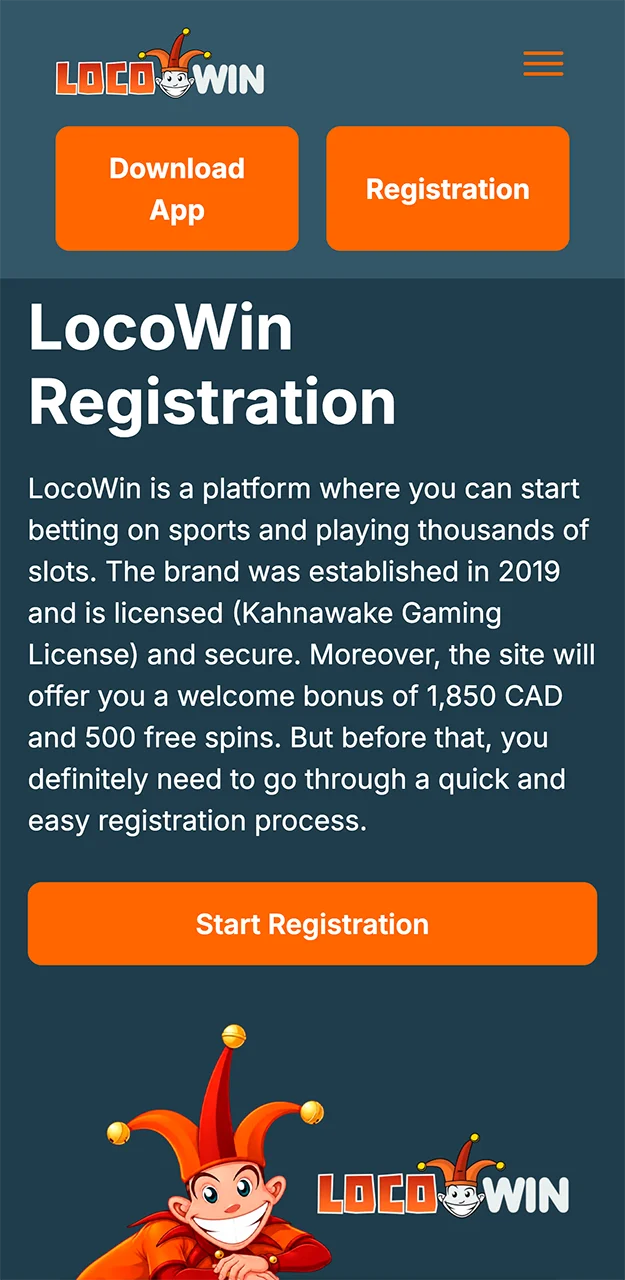
Please follow the instructions when registering on the Locowin website.
2

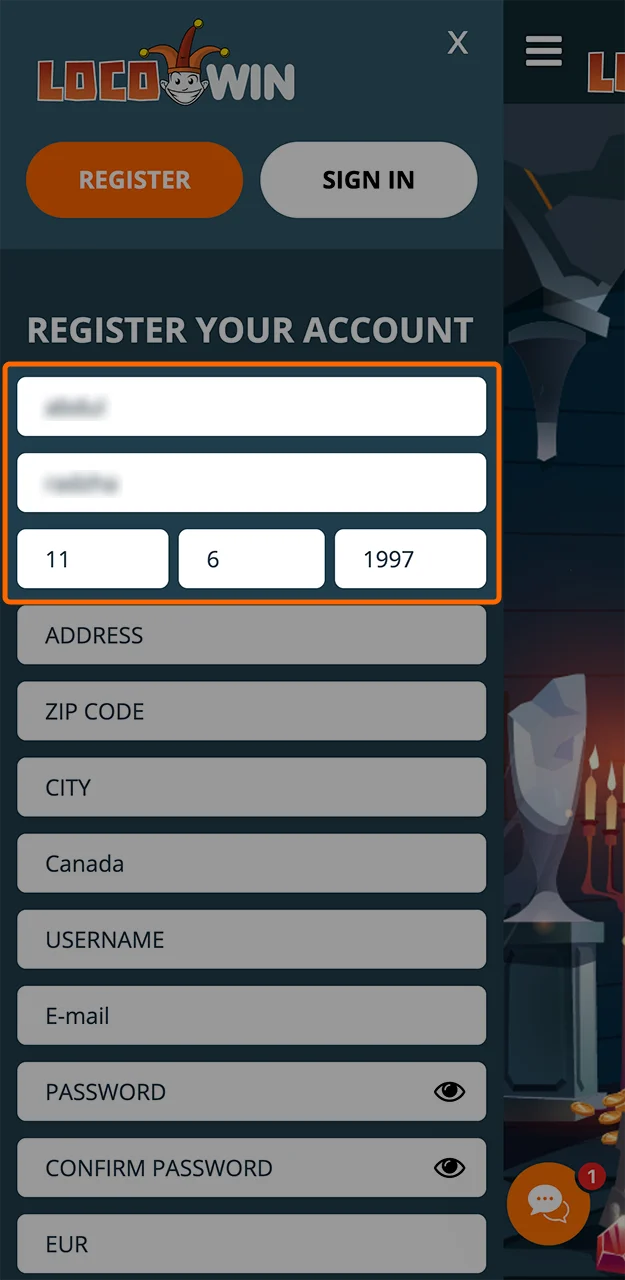
Enter Personal Details

Fill in your first name, last name, and date of birth.

Come up with a unique username when registering on the Locowin website.
3

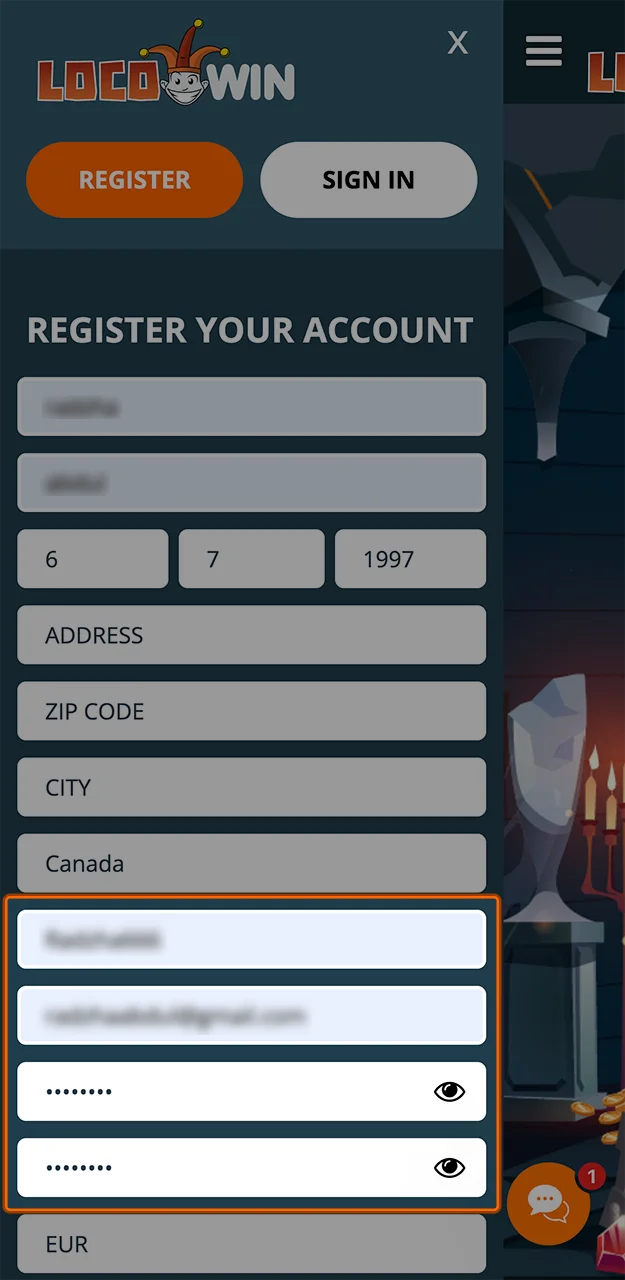
Set Login Credentials

Choose a username, enter your email address, and set a secure password.

Please use unique and complex passwords when registering on the Locowin website.
4

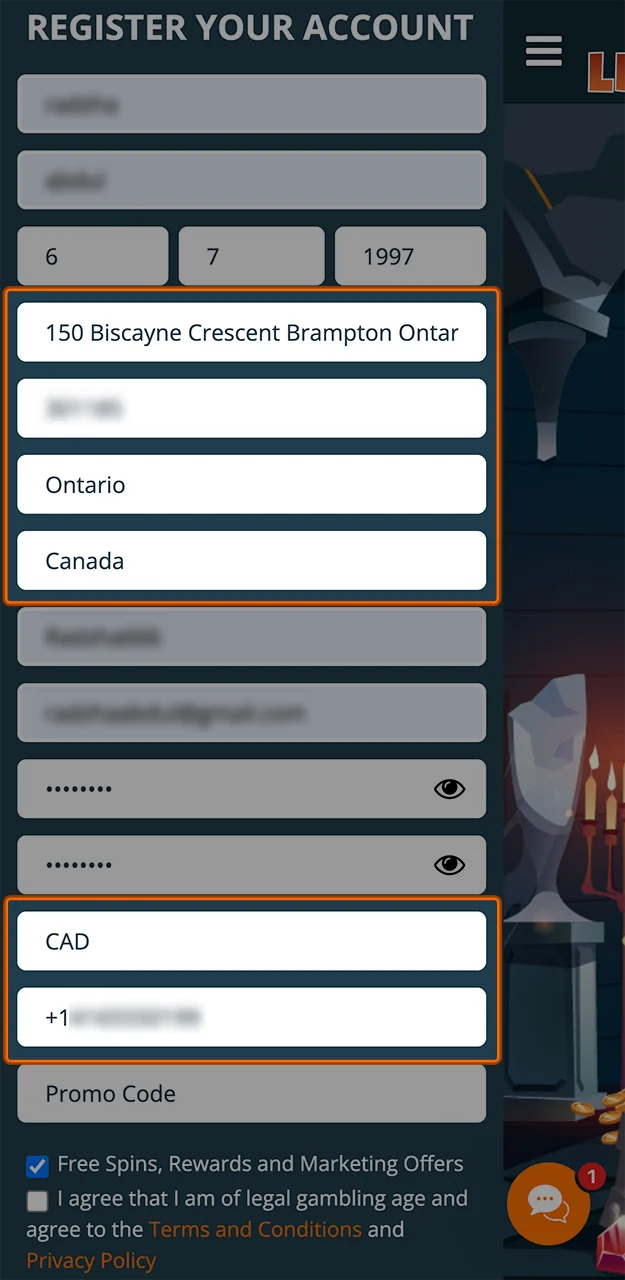
Add Contact Info

Provide your full address, city, ZIP code, and phone number. Select Canada and CAD as your region and currency.

Please enter the accurate details required to register an account on the Locowin website.
5

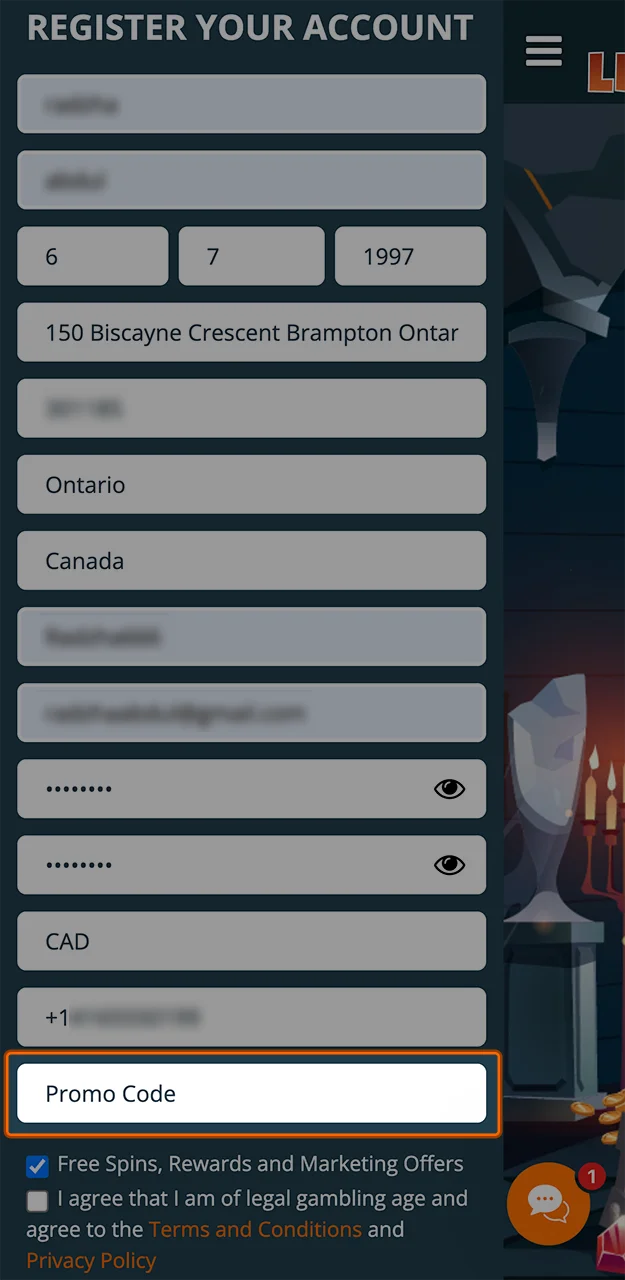
Use a Promo Code

If you have a bonus code, enter it in the designated field.

Enter the promo code in the appropriate field to receive an extra bonus from Locowin.
6

Confirm and Submit

Agree to the Terms and Conditions, confirm your legal gambling age, and click “Create Account” to finish.

Please confirm your participation on the Locowin casino website.

Verification

After registration, you will need to go through a verification process to access all features. This allows you to, for example, withdraw money and access exclusive promotions. Here’s how to verify your account:

  1. Log in to your account and go to the profile or cashier section.
  2. Upload required documents, such as a valid photo ID and a recent utility bill or bank statement.
  3. Wait for confirmation. The support team will review your documents within 1-2 business days.
  4. Start withdrawals. Once verified, you will be able to withdraw funds without delays.

Documents

To successfully complete verification, you will need to confirm your identity. To do this, you will need to upload several documents. These can be:

  • ID (passport or driver license);
  • Credit card;
  • Utility Bill;
  • Bank Statement.

Remember that the quality of the image must be good, otherwise our specialists will simply not be able to process the request and you will have to make the request again and wait for verification.

Login

Signing into your account is even easier than registering. Here are the step-by-step instructions for logging into your account:

  1. In the center of the screen, you will be asked to create an account or log into, click “Log in”.
  2. Enter username and password, which you registered with, type it without mistakes.
  3. Click “Sign in” and if you entered your information correctly, you are in.

If you wanted to log into your account and forgot your password, you can click on the ‘Forgot Password?’ button. Then follow the on-screen instructions.

Registration via Smartphone

Our website is optimised for mobile devices. For this reason you can play or bet from your phone. The mobile version fully replicates the functionality and interface of the desktop version. All processes are not changed in any way either. To register at Locowin via the app, you need to follow all the same steps as when registering from a computer, but there are some nuances. Here are the step-by-step instructions:

  1. Tap “Create Account.” Open the mobile site and tap the orange “Create Account” button on the main screen.
  2. Fill in your personal information. Enter your first name, last name, and date of birth. Make sure all details are accurate.
  3. Set up your login. Create a unique username, provide a valid email, and choose a strong password. Re-enter the password to confirm.
  4. Enter contact and location details. Fill in your full address, ZIP code, city, and phone number. Choose Canada and CAD in special sections.
  5. Apply a promo code. If you have a code, enter it in the optional field. Leave it empty, if not.
  6. Agree to the terms. Confirm your legal gambling age and accept the Terms and Privacy Policy. Tap “Create Account” to finish.

Terms and Conditions

Not all players will be able to register, as the company’s basic requirements must be met. If these requirements are not met, your account may be blocked and cancelled. Here are the basic requirements for players:

  • All players must be over 18 years of age;
  • All players must reside in countries where gambling is permitted and where the use of our website is authorised;
  • The platform must not be used for money laundering or other illegal activities;
  • You are solely responsible for paying taxes on winnings according to your jurisdiction.

Comments

The value is incorrect

The value is incorrect

The value is incorrect

Something went wrong. Please, try again later

Your comment has been sent!

Updated: